Start from your environment.
A mobile device becomes useful when it responds to a specific gesture: to view messages, enter information, sign a document or access a tool during a trip. Agedis helps you define this use before choosing the material. The format, applications, connection and conditions of use must be considered together to prepare equipment suitable for the person's work.
The discussions followed by the team include the need for Android tablets and wall mounts for several hotels, an order for a pointing tablet and the requested replacement of a reception iPad. These situations show that mobile devices can be integrated into various business uses. The choice also depends on the network, location, physical constraints and tools already used in the establishment concerned.
Choose the right format
Tablet or telephone, fixed or mobile equipment: the equipment is chosen according to the applications, the expected readability and the conditions of manipulation by the users concerned.
Preparing the connection
Wi-Fi, access to services and account settings condition usage. These points should be examined with the network equipment and the constraints of the installation site.
Connecting the appliance to the trade
Signature, score or consultation meet different needs. The preparation specifies the software used, its expected operation and the responsibilities of each stakeholder.
Prepare the device from the business gesture
A staff smartphone, a scoreboard and an iPad reception do not perform the same function. We identify the application used, authorized persons, connection mode and necessary accessories. The location, charging and replacement conditions can count as much as the characteristics of the appliance.
Checking in, signing a customer form and ordering wellness equipment are examples of uses that require precise preparation. The device must find its application, account and necessary connection in the right place. We review these dependencies with the people who use it.
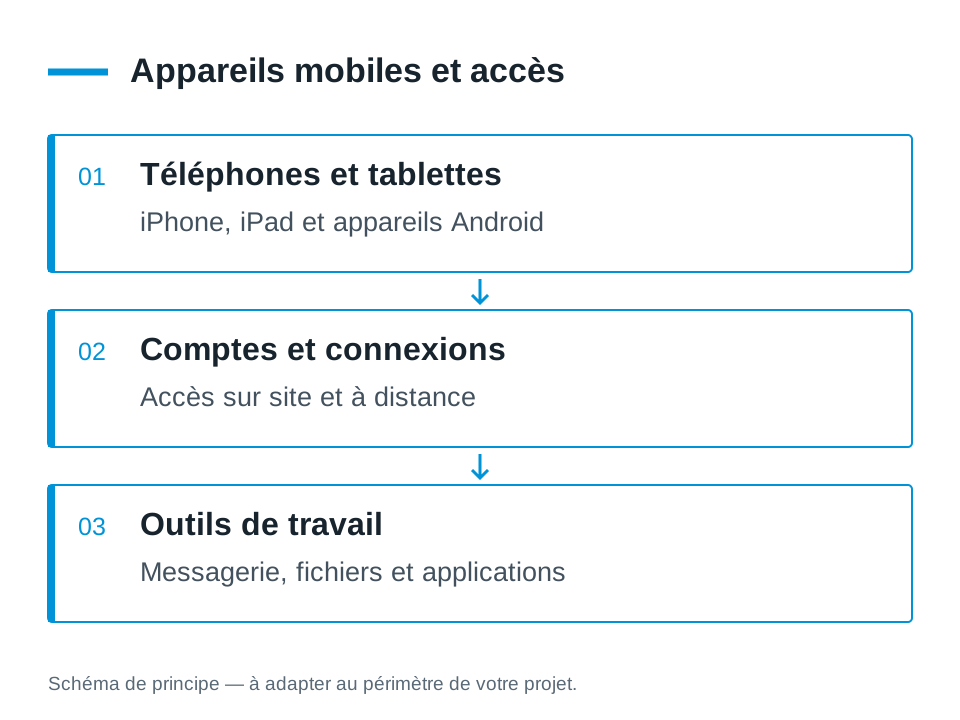
Connect iOS and Android to the company's services
Messaging, calendars, and document access are reviewed with existing accounts. The available features depend on the service and application used. We prepare useful settings and controls on the respective device, instead of assuming that the behavior will be identical to that of a computer.
When a device is shared, the company must decide who can use it, what information should remain accessible, and how business data is retained. The protection and administration methods are defined according to the means chosen. Centralized fleet management is prepared as a separate project; it is not assumed to already be in place.
Diagnose device, network and application
After a power outage or a change in connection, a tablet may no longer achieve the expected service. We seek to distinguish the network connection, the account state and the operation of the application or associated equipment. The result of a test on PC or on webmail can help to locate the incident, without being enough to conclude on the mobile.
If the difficulty is covered or connected on site, Alltech can bring its installation expertise. If the business department requires a specific evolution, the need is passed on to its publisher or studied with Dtouch. Agedis Keep track of the mobile station and its integration into systems.
Provide for replacement and re-availability
A immobilized device may block a daily function at reception or in a service. We can help you identify what you will need to find on a replacement: accounts, applications, settings and documents. The conditions of access to the blinds, licences and means of recovery shall be verified prior to the transition.
The company also decides how to handle the old device and its data. A suitable procedure can specify restitution, closure of access and deletion after validation. These steps provide a concrete framework for mobile tracking, without limiting the subject to the purchase of the terminal.
Your questions
Can you accompany iOS and Android?
Both environments are part of the uses followed by the team. The scope depends on the hardware, the application and the connection possibilities to your services.
Can a tablet replace a workstation?
It depends on the tasks and software. We help you compare input, display, peripheral and mobility constraints before deciding.
Can you replace a tablet used by several people?
We start with its use, its applications, the necessary accounts and the data to keep. Preparation includes the checks to be carried out on the new device and decisions regarding the old one.
How to prepare a shared tablet?
We define who is authorized, which applications are required and which data must remain available. Accounts, connection, recharge and replacement arrangements are discussed with the service manager.
The right skills for the rest of your project.
Prepare site coverage
Alltech completes the project when mobile use requires an evolution of network installations.
Discover this skillAdapt the career path
Dtouch studies the specific needs of the software used on the device.
Discover this skillTo prepare your decision
Organize a Mac, Windows, Linux and mobile fleet
A coherent park can bring together several systems. The subject is what each device should allow, with which accounts and what data.