
Start from your environment.
The Mac is often part of a fleet that also includes PCs, servers and mobile devices. Its support must take this into account: how to access company tools, exchange files and find data? Agedis helps you track the position and the uses surrounding it, considering the applications, peripherals and services that the person needs.
Requests tracked by the team include macOS updates, PDF applications, backups, document synchronization and Windows environments used from the Mac. They show the diversity of situations to be examined. Before an evolution, the versions of the software, the data to be kept and the dependencies of the workstation must be looked at in order to prepare an intervention adapted to the daily work of the user.
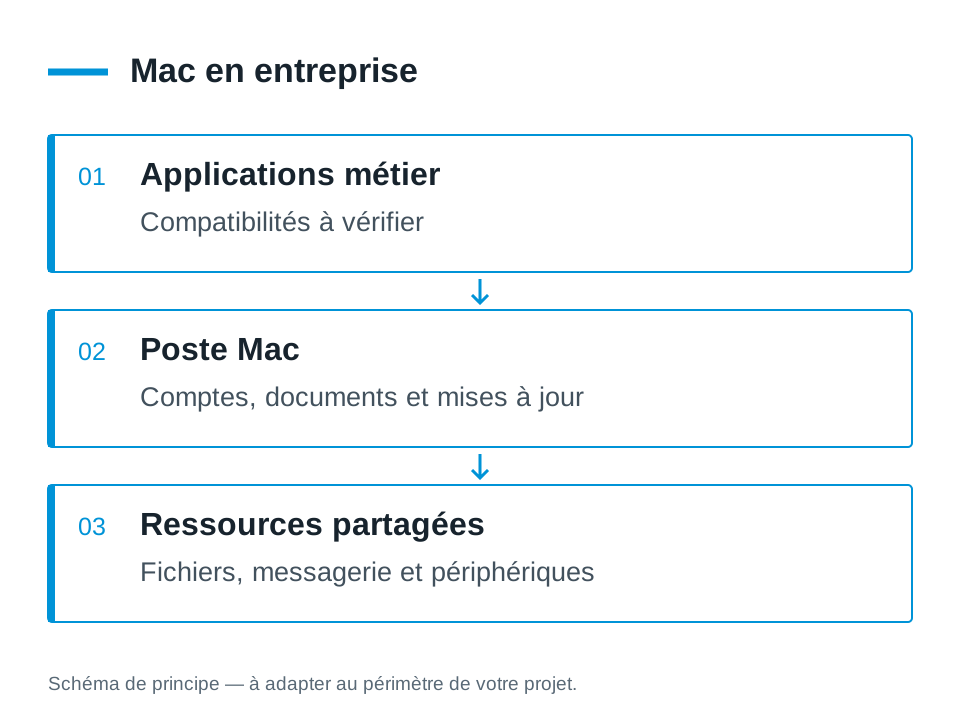
Follow the post and its software
A maintenance request provides an update on the difficulties encountered. Diagnostics distinguish system settings, applications and services associated with the position.
Preparing for Mac and Windows Exchanges
Some applications or resources are on another system. Access conditions and connection tools must be examined according to the needs and prerequisites of the environment.
Protecting working documents
Backup and sync answer different questions. We help you locate where the data is and prepare for their protection in your organization.
Maintain the uses that make the Mac interesting
The Mac workstation is part of a work environment: creative or office software, shared files, messaging, backup and peripherals. We start from these uses to prepare for maintenance or renewal. The version of macOS, the essential applications and their licenses are brought closer to the publishers' requirements.
This allows a station to combine macOS, Acrobat, automatic backup, Parallels Desktop and Dropbox. Preparing the dependencies between these tools helps to decide the order of operations and audits. We identify what the user needs to find before starting maintenance.
Prepare an update before applying it
An evolution of macOS may require checking for business software, extensions, drivers and available space. Records to be retained and recovery opportunities are identified prior to the change. We agree with the user of a niche and the checks expected for his activity.
The project may include a version statement, a list of incompatibilities to be addressed and checks on the applications actually used. When a publisher needs to confirm compatibility, this response remains a preparation step. A completed installation does not replace the test of opening and saving everyday documents.
Running Mac and Windows in the same company
Shared folders, email, and server software can bridge the two environments. We look at permissions, file formats, connection modes and necessary devices. The objective is to maintain an understandable path for the user and clear responsibilities for the administration.
In the historical journey of Patrice within the Reymann teams, access from a Mac to a 4D application on a Windows RDS/TSE server was coordinated with the partner IT department. This example illustrates a possibility of interoperability; the solution for a new project depends on the application, its licenses and the architecture chosen.
Provide for replacement and continuity of the post
When a Mac needs to be replaced, preparation can cover data, accounts, applications and network access. We distinguish what is stored locally from content already stored on a shared service. The elements to be transferred and the checks to be carried out are defined with the user.
Backup and assistance are prepared over time, with the tools and contract selected. We determine the level of administration useful to your organization: responsible people, version tracking, access requests and support circuit. Centralized fleet management can be the subject of a study when it meets your needs.
Your questions
Can a Mac access an application on Windows server?
Remote access solutions exist depending on the application and server environment. You must check the prerequisites, licenses and practices with the relevant contacts.
Can you accompany a macOS update?
Yes. The intervention is prepared with the software used, the data to be kept and any compatibility constraints of the workstation.
Can we keep Macs with a Windows server?
Coexistence is possible according to the functions expected. Access to files, email, applications and devices are examined separately; the compatibility of each use must be verified.
Can you also follow our creative software?
We prepare the post and the dependencies with the prerequisites of their editors. Specialist application support, software modification or development fall under a separate scope to be agreed.
The right skills for the rest of your project.
Evolve a specific application
Dtouch completes the support when the need concerns the operation of business software.
Discover this skillTo prepare your decision
Organize a Mac, Windows, Linux and mobile fleet
A coherent park can bring together several systems. The subject is what each device should allow, with which accounts and what data.